
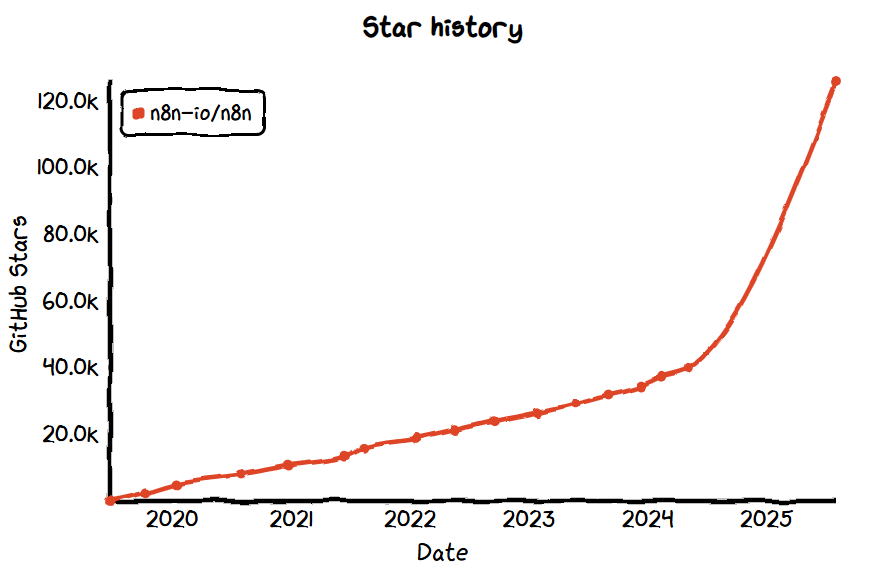
- GitHub Star: 127k
- GitHub: https://github.com/n8n-io/n8n
- Website: https://n8n.io/
Introduction:
Over the past year, n8n has rapidly gained popularity from being a niche open-source automation tool. Initially positioned as an open-source alternative to platforms like Zapier and Make, it supports visually connecting various APIs and services, offering a level of flexibility far surpassing traditional automation tools.
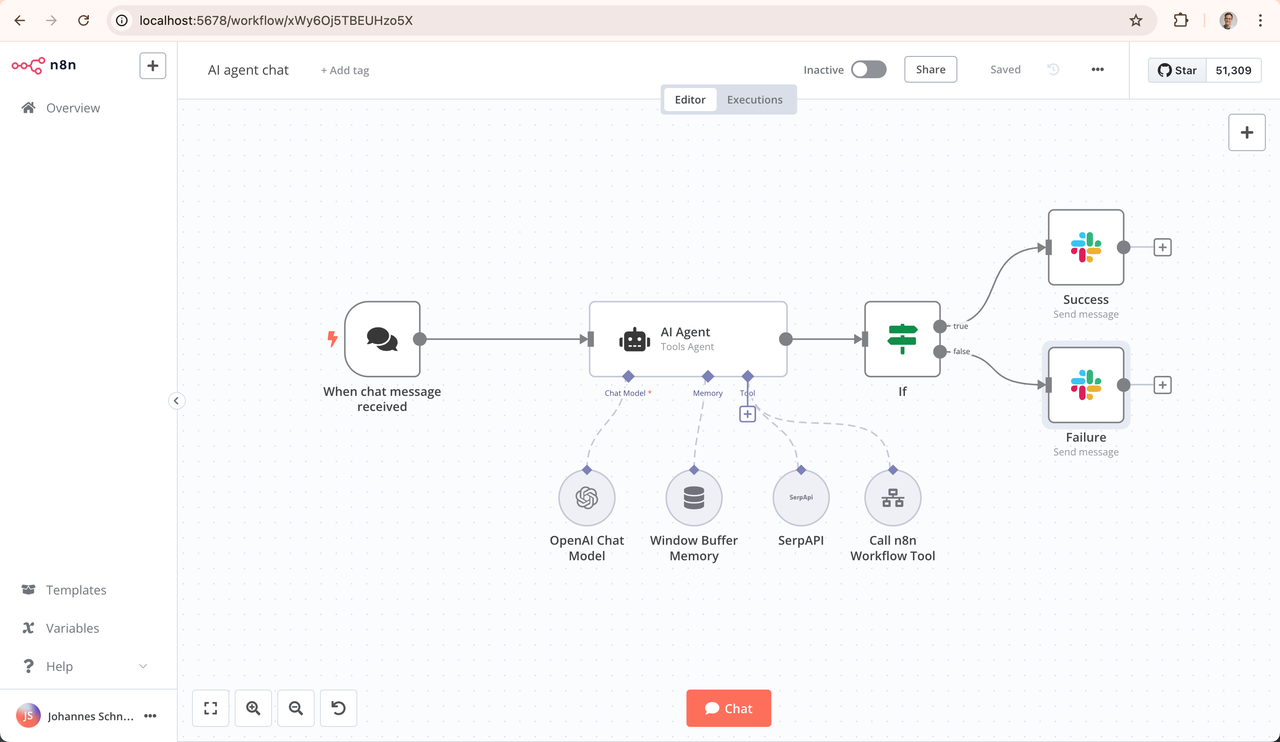
But n8n is much more than that. Its popularity is the result of the combined effects of open source, self-control needs, and AI. As models such as OpenAI and Hugging Face quickly enter enterprise applications, n8n has become an ideal choice for developers to build AI invocation chains, intelligent agents, and business assistants. It not only easily integrates third-party model services but also embeds AI into business processes through custom logic, driving practical automated intelligence.
Core functions:
Visual process construction: Connect services and operations by dragging and dropping nodes to build an automated execution chain.
Webhook and API support: The built-in Webhook node can receive structured requests from the AI Agent, while the API node supports sending requests to external systems.
Logic and data processing: Implement conditional judgment, loop processing, and data conversion through function nodes, supporting flexible task control.
Deployment and integration:
Flexible deployment methods: Supports local operation, Docker, one-click installation, and cloud deployment, suitable for both personal and enterprise environments.
Strong system integration capability: With over 500 integrations built-in, it supports databases, third-party APIs, GPT, file services, and more. What can you do with n8n?
The AI assistant invokes an external service by inputting "Help me schedule a meeting for tomorrow afternoon" in the chat window. n8n receives the request, extracts the conversation context, and sends it to OpenAI. After the model recognizes the intent, n8n automatically invokes Google Calendar to create a schedule and sends back confirmation information.
When a user of the enterprise knowledge base question-answering system asks "What payment methods does our product support?", n8n automatically queries the internal document vector database, extracts relevant content, combines it into a context, and passes it to the model to generate a precise answer. The answer is then replied to the user through enterprise WeChat.
The model automatically generates content and triggers it at a fixed time every day. GPT summarizes the sales chat records of the previous day, and n8n processes the returned content, extracting keywords, potential customers, next steps, and other information, and writes it into the CRM system. At the same time, a daily summary is automatically sent out in the group.